Journeys MCP Server
The journeys MCP server lets your AI agent, such as Claude, ChatGPT, Claude Code or Codex, use Turn as you through the Model Context Protocol: it can build, fix and try journeys on your numbers, with your access. To test journeys with your own tooling, see the Journeys Simulation API.
The journeys MCP server is an experimental feature. To use it on your numbers, ask for access at support@turn.io.
This server is under active development and its tools may change.
Connecting
The server lives at https://whatsapp.turn.io/v1/mcp. Give your AI app that URL and sign in with Turn when it asks: the app opens your browser, you log in to Turn as usual, pick the numbers to connect and what the app may do, and approve. Signing in is the only way to connect: the server does not accept Turn.io API tokens.
Claude
In Claude (the desktop app or claude.ai), add Turn as a custom connector:
-
In a chat, click +, then Connectors, Add connector and Add custom connector. Name it Turn and give it the URL
https://whatsapp.turn.io/v1/mcp.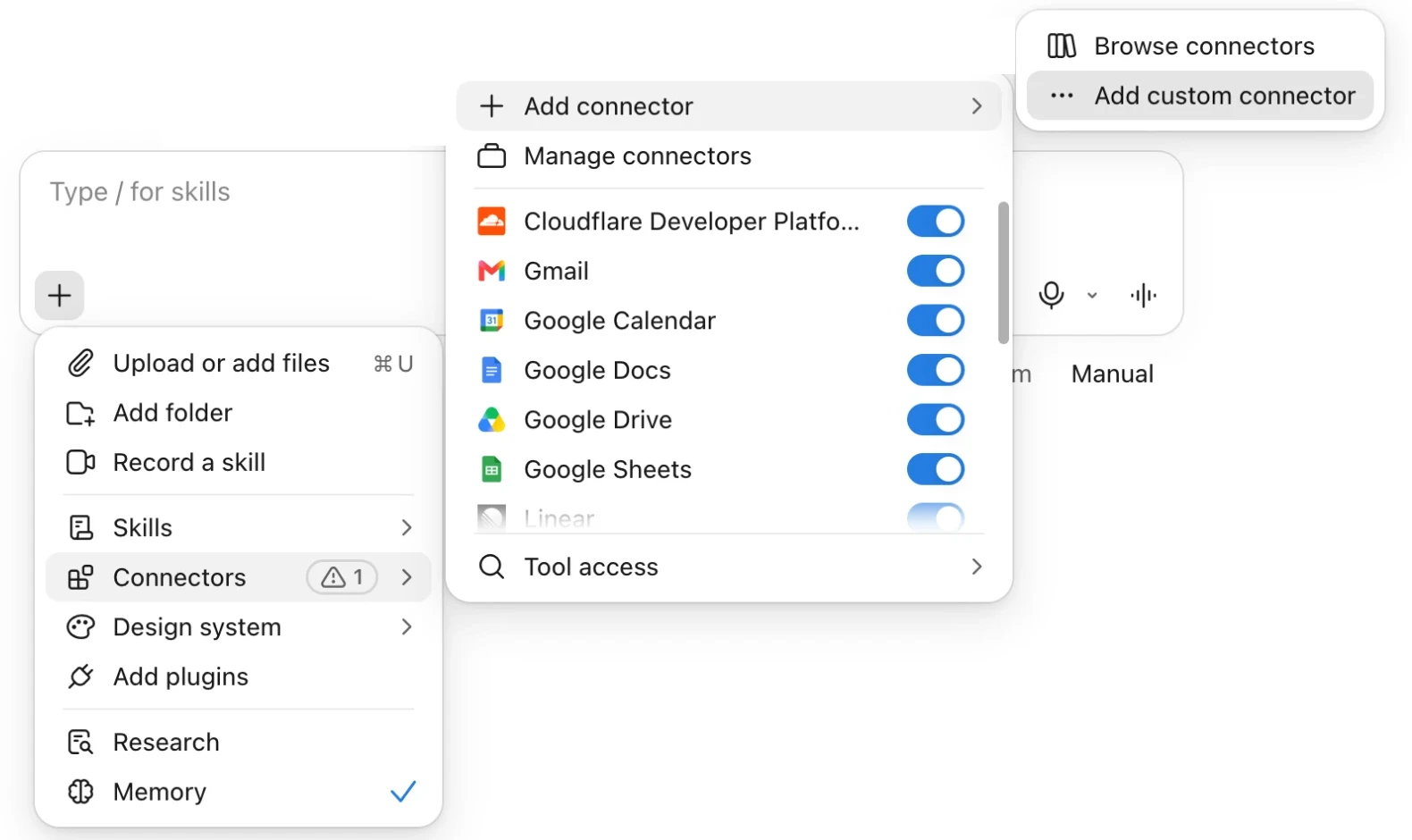
-
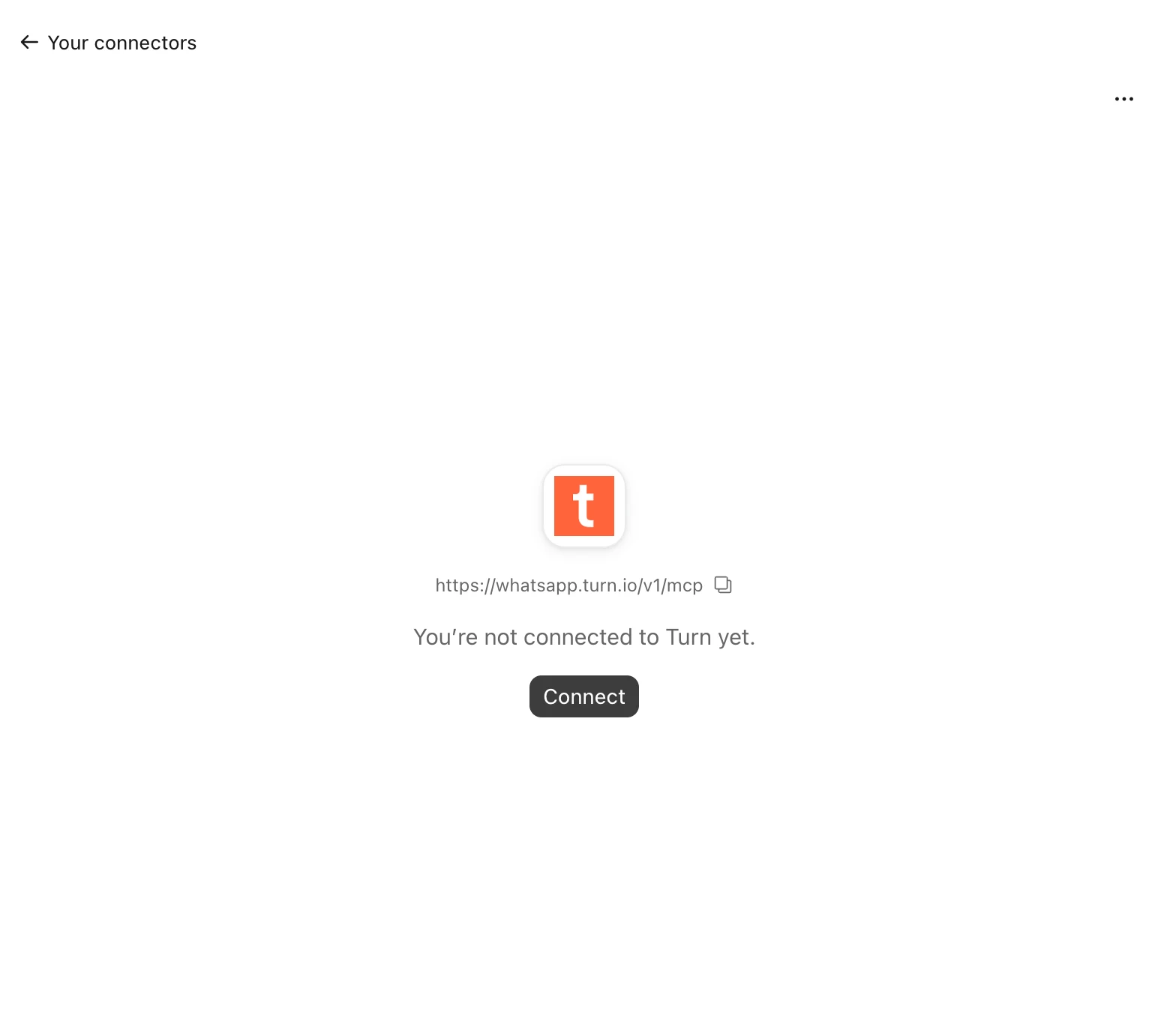
Claude shows the connector as not connected yet. Click Connect.
-
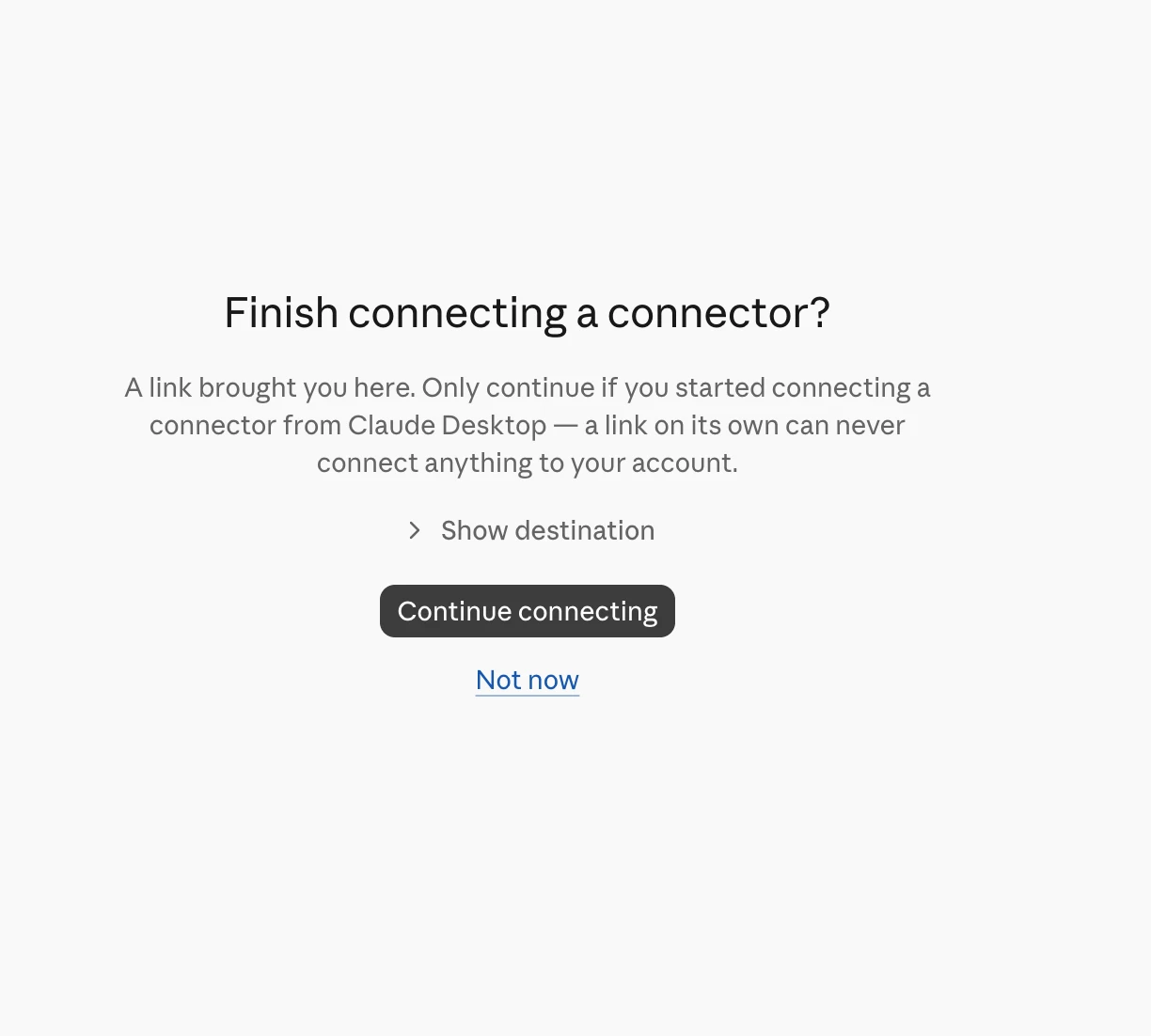
Your browser opens. If Claude asks whether to finish connecting a connector, click Continue connecting.
-
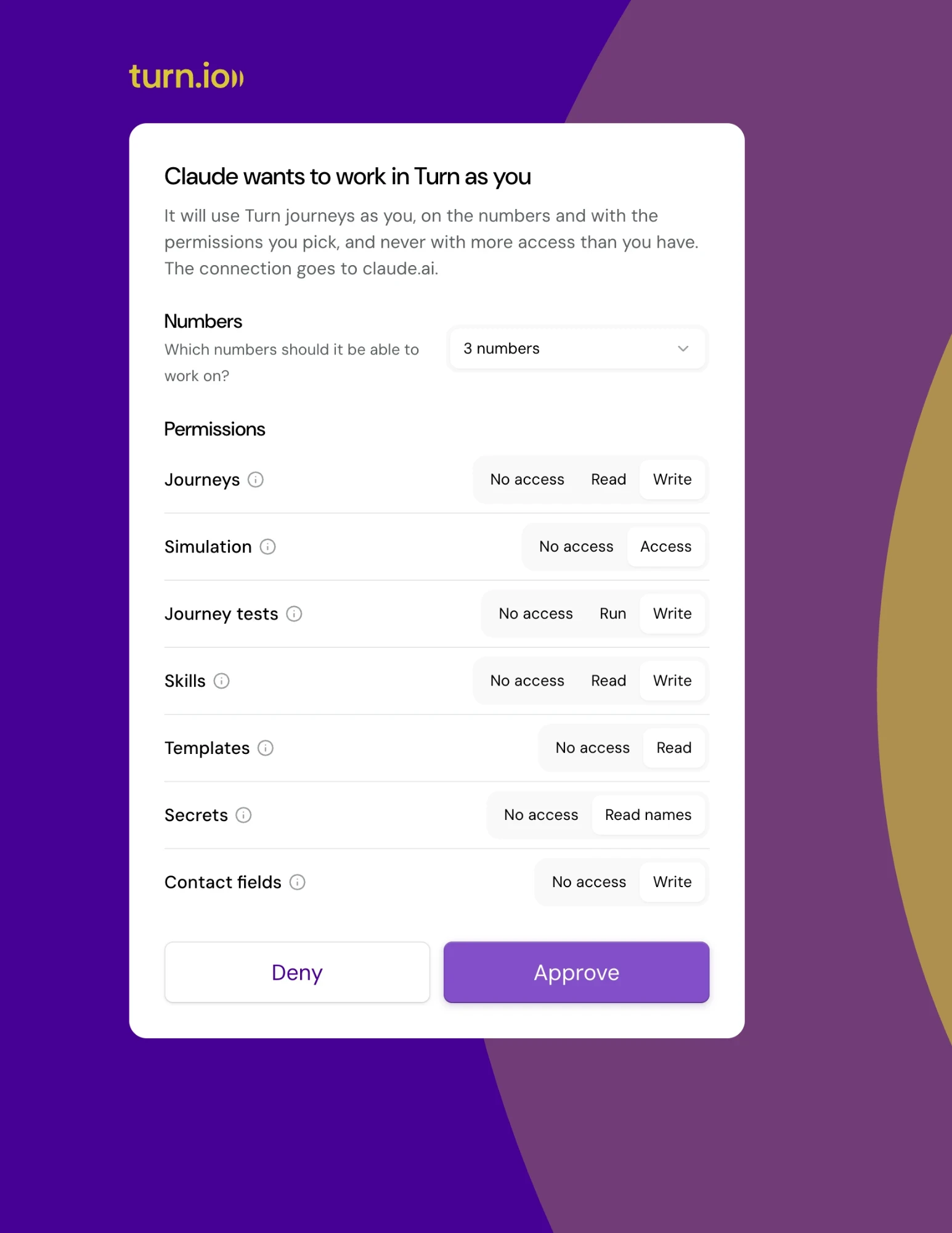
Log in to Turn if you aren't already. Turn asks what Claude may do: pick the numbers it may work on and an access level for each area (see the table below), then click Approve.
-
Back in Claude, the connector shows Turn's tools. Choose whether Claude may use each one without asking you first.
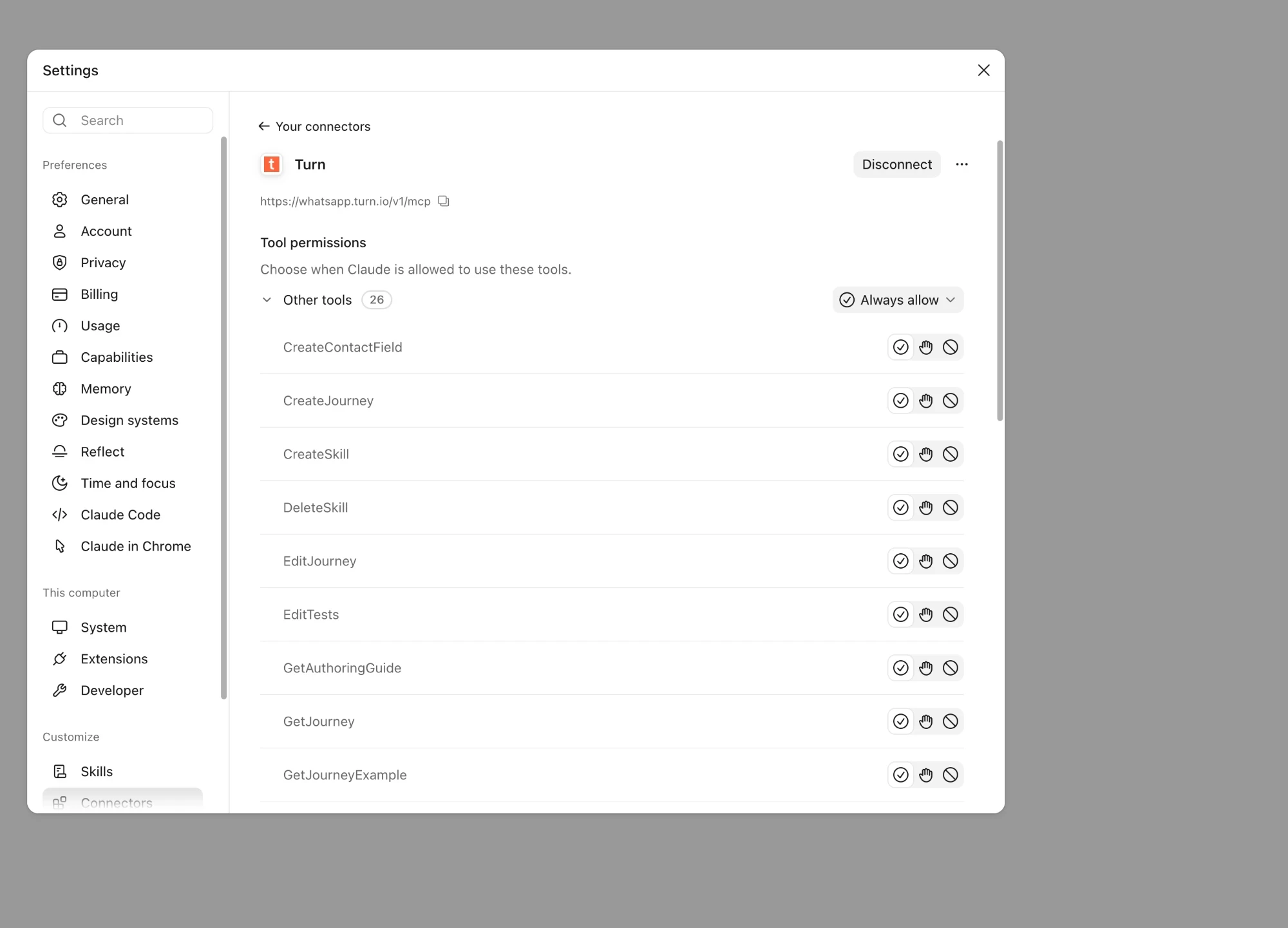
Turn the connector on in a chat's + menu, under Connectors, and ask Claude to build or fix a journey.
ChatGPT
In ChatGPT, add Turn as a custom MCP server:
-
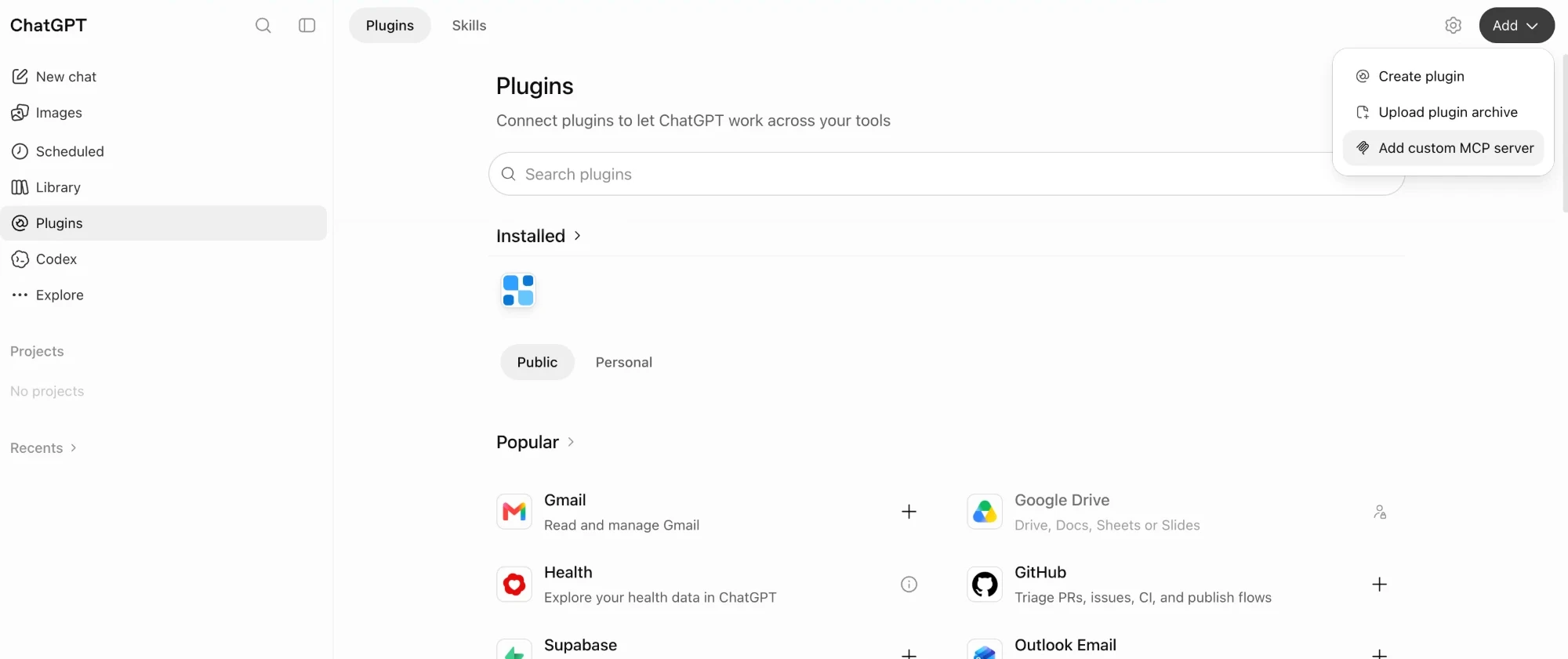
Open Plugins in the sidebar, click Add at the top right and choose Add custom MCP server.
-
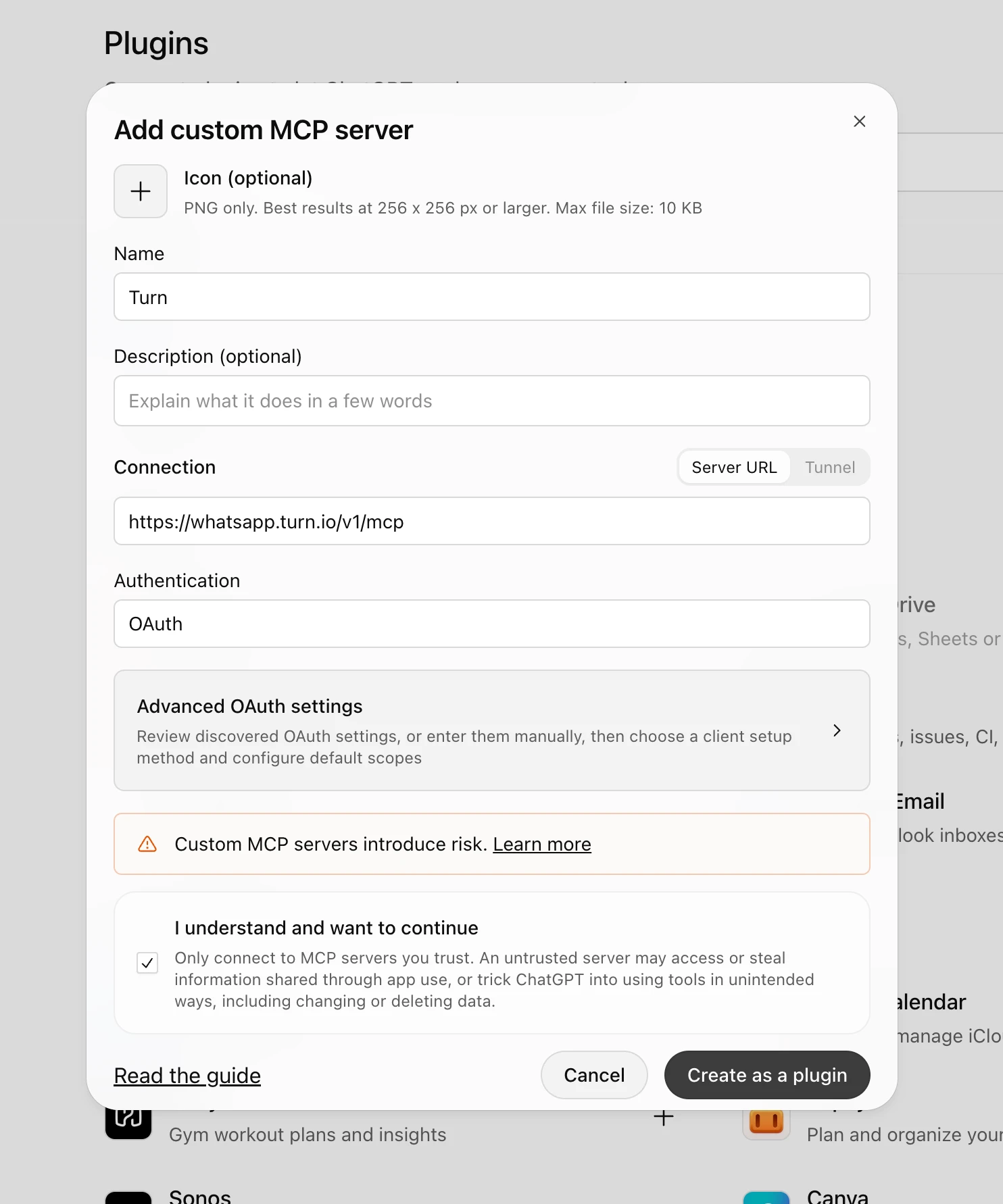
Name it Turn. Under Connection, keep Server URL and enter
https://whatsapp.turn.io/v1/mcp. Set Authentication to OAuth: ChatGPT finds Turn's sign-in settings on its own, so leave Advanced OAuth settings as they are. -
Tick I understand and want to continue and click Create as a plugin.
-
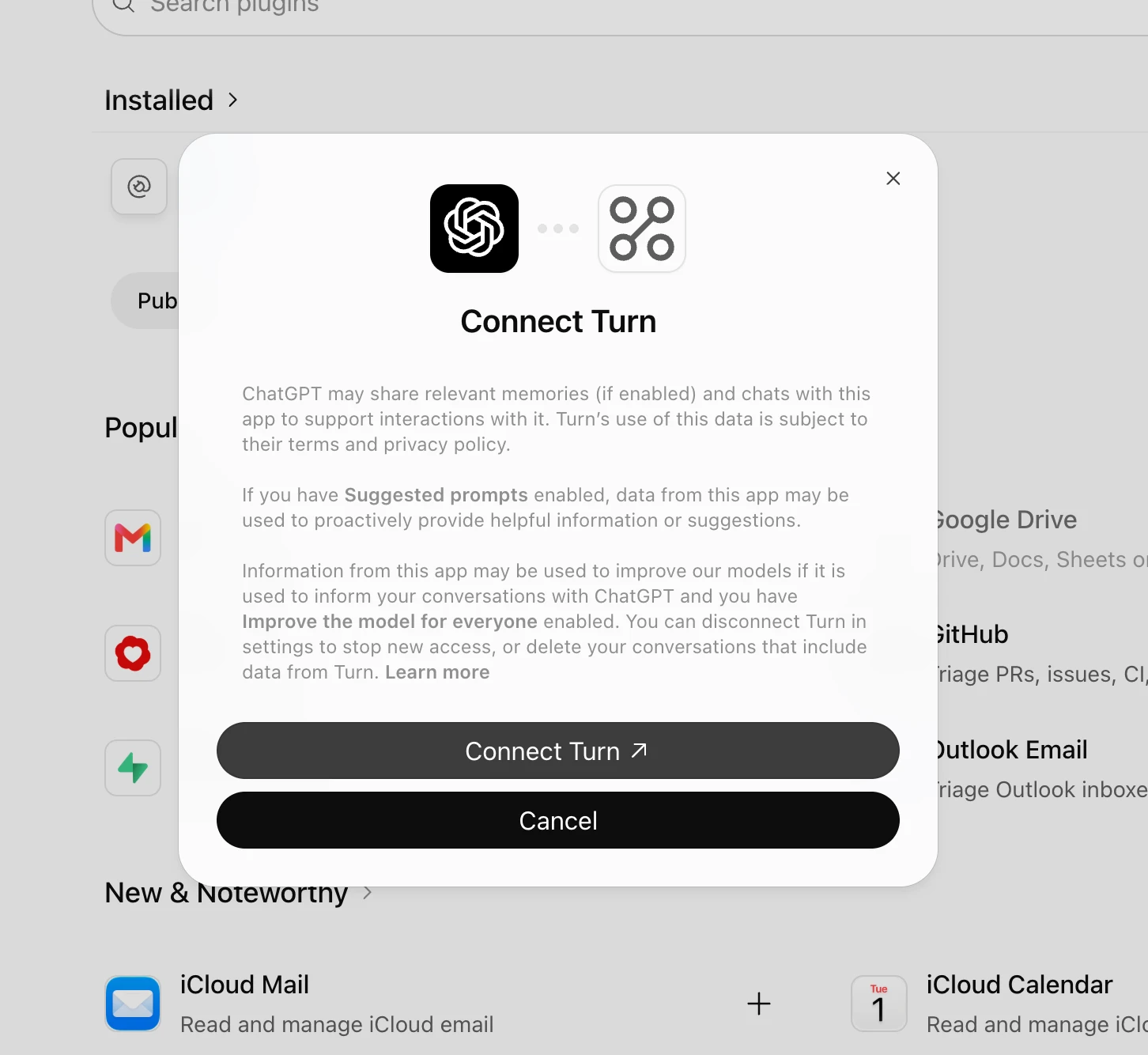
ChatGPT asks to connect Turn. Click Connect Turn.
-
Log in to Turn if you aren't already. Turn asks what ChatGPT may do: pick the numbers it may work on and an access level for each area (see the table below), then click Approve.
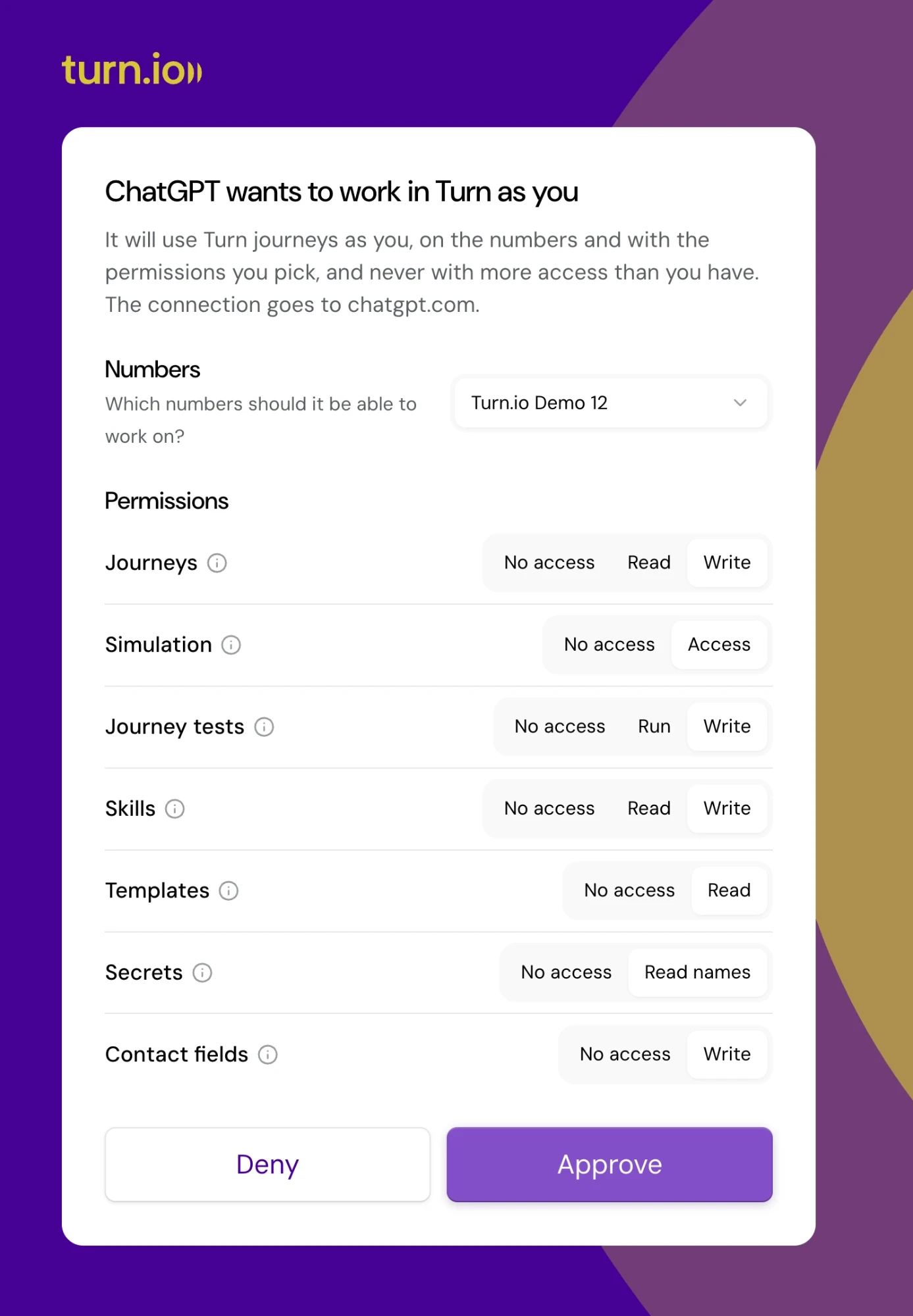
Turn then shows under Installed on the Plugins page, ready to use in your chats.
Claude Code
Add the server from your terminal:
$ claude mcp add --transport http turn https://whatsapp.turn.io/v1/mcp
Then start Claude Code, run /mcp, pick turn and choose Authenticate. Your browser opens the Turn sign-in: pick the numbers and permissions and click Approve. Add --scope user to the command to have Turn in every project, not only the current one.
OpenAI Codex
Add the server from your terminal, then sign in:
$ codex mcp add turn --url https://whatsapp.turn.io/v1/mcp
$ codex mcp login turn
codex mcp login opens the Turn sign-in in your browser: pick the numbers and permissions and click Approve. You can also add the server to ~/.codex/config.toml and then run codex mcp login turn:
[mcp_servers.turn]
url = "https://whatsapp.turn.io/v1/mcp"
Other apps
Cursor, VS Code and any other app that supports MCP sign-in connect the same way: add the server URL, then sign in.
Access and permissions
The app works as you, with your access: it never does more than your role on a number allows, and if your role changes or you leave the organisation, it stops working there at once. It only works through this server, and cannot send messages or call the rest of the API. You can see the apps you connected, change their access and disconnect them at any time, see Managing connected apps.
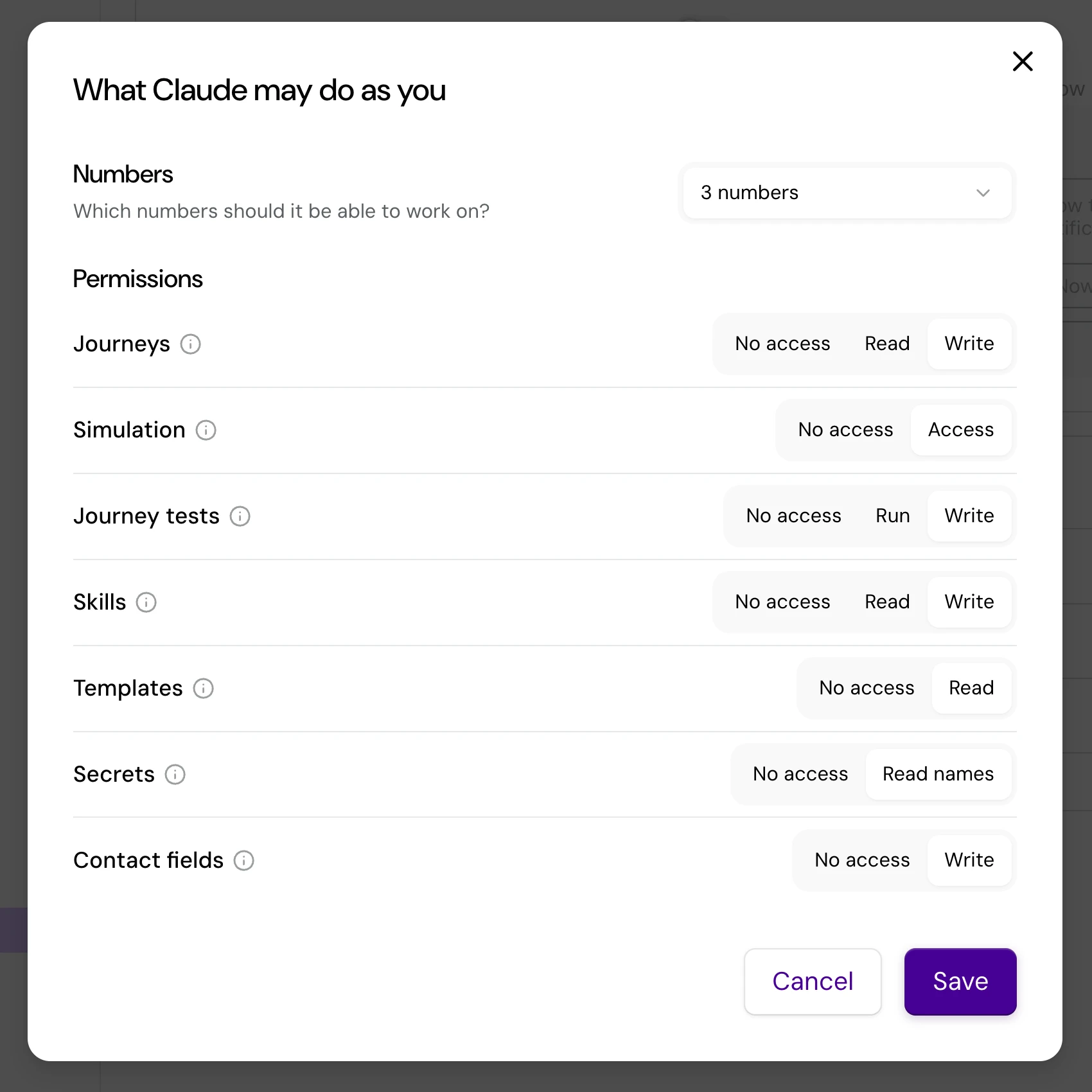
When you approve, you pick an access level per area. Every level the app asked for starts selected, and you can lower any of them:
| Area | Levels | Lets the app |
|---|---|---|
| Journeys | Read, Write | Read journeys and their translations, the authoring guide and journey examples; write creates and edits them. |
| Simulation | Access | Simulate conversations with a journey. |
| Journey tests | Run, Write | Run journey tests and test suites; write also writes and edits them. |
| Skills | Read, Write | Read the number's AI agent skills; write creates, edits and deletes them. |
| Templates | Read | Read the number's WhatsApp templates. |
| Secrets | Read names | List the names of the number's secrets, never their values. |
| Contact fields | Write | Add contact fields to the number. |
| AI assistants | Read, Write | Read the number's AI assistants: their model, instructions and knowledge files, which it can also search; write renames them, changes their model and instructions, and adds or deletes knowledge files. |
Managing connected apps
Every app you connected is listed in Turn under Settings, Account, Preferences, in the Connected apps card, with when you connected it and when it was last used. Each sign-in is its own row, so an app you connected twice, from two computers for example, shows up twice.
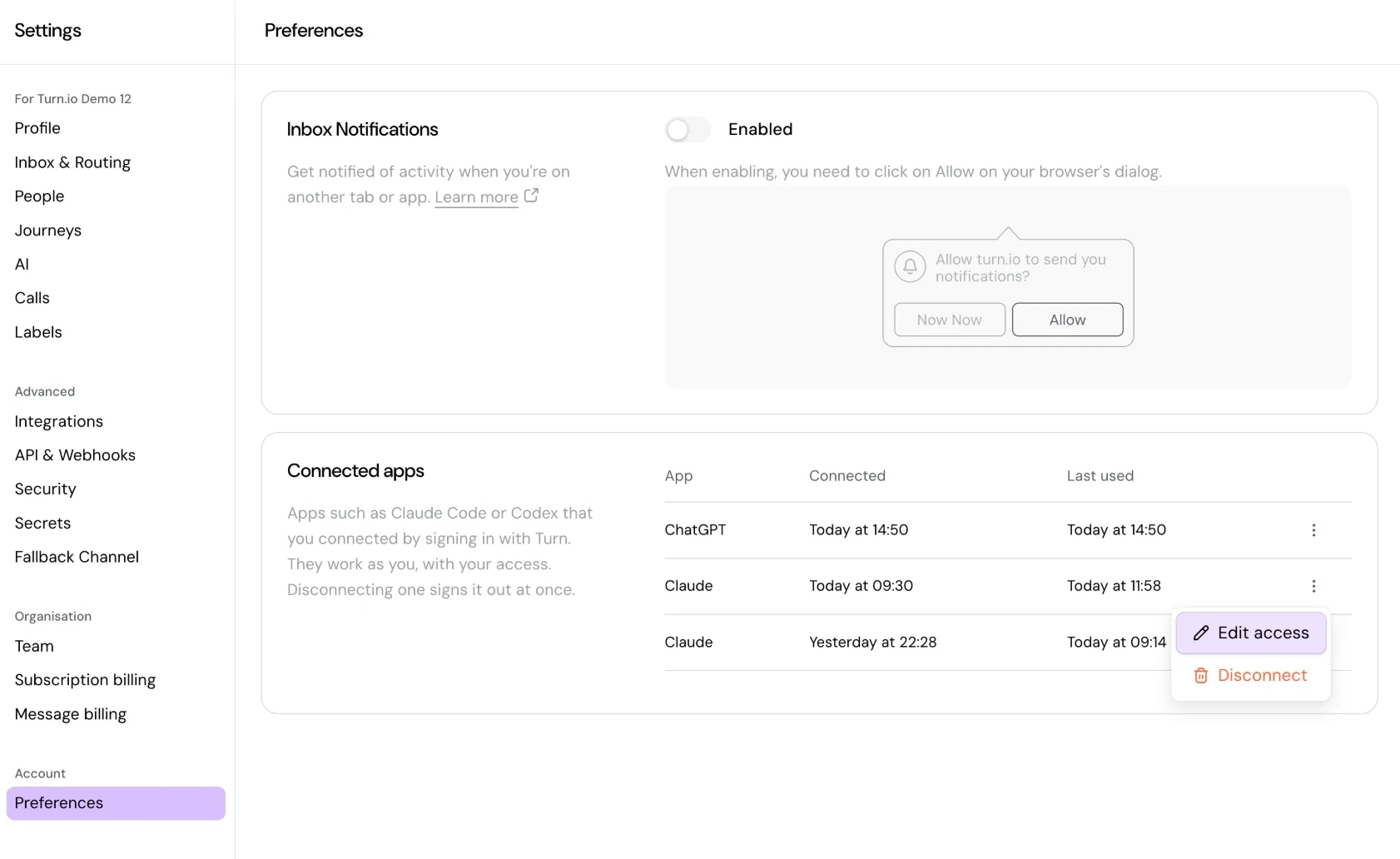
Open the ⋮ menu on a row to manage that app:
- Edit access changes the numbers it may work on and its access level per area. Click Save and Turn applies the change from the app's next call, with no need to reconnect. Tools you newly allow may only show up in the app once you start a new chat or session.
- Disconnect signs the app out at once. To use it again, connect it again from the app.
What your AI app can do
Once connected, your AI app can do most of what you do in the journey builder: find, read, create and edit journeys and their translations, manage the number's AI agent skills and contact fields, look up its WhatsApp templates and the names of its secrets, write and run journey tests, and try a journey by simulating a conversation with it. The exact tools change as the server grows, so the app discovers them when it connects, along with instructions on how to use them.
A typical session looks like this: you describe the journey you want, the app reads Turn's authoring guide, writes the journey, fixes whatever validation reports, and shares the canvas link so you can see what it built. It then simulates conversations to check the journey behaves, and runs the journey's tests until they pass. For a test suite of your own, outside the app, use the Journeys Simulation API with an API token for the number: signing in only gives access to this server.
Notes
- Every edit is saved as a new, unpublished revision of the journey, attributed to you and tagged as made through MCP. Simulations play the latest saved revision unless asked to play the published one. Publish from the canvas when you are happy with it.
- Changes to contact fields and to skills shared by other journeys affect every journey on the number, so an agent should ask you before making them.